
Cancel Turn Photo to Sketch Subscription & Save $49.99/mth
Published by DigitalMasterpieces GmbH on 2026-07-28Uncover the ways DigitalMasterpieces GmbH (the company) bills you and cancel your Turn Photo to Sketch subscription.
🚨 Guide to Canceling Turn Photo to Sketch 👇
Note before cancelling:
- How easy is it to cancel Turn Photo to Sketch? It is Very Easy to Cancel a Turn Photo to Sketch subscription.
- The developer of Turn Photo to Sketch is DigitalMasterpieces GmbH and all inquiries go to them.
- Check DigitalMasterpieces GmbH's Terms of Services/Privacy policy if they support self-serve cancellation:
- Always cancel subscription 24 hours before it ends.
Your Potential Savings 💸
**Pricing data is based on average subscription prices reported by AppCutter.com users..
| Plan | Savings (USD) |
|---|---|
| Graphite Premium - 1 month | $2.49 |
| Graphite Premium - 12 months | $18.99 |
| Graphite Premium - Lifetime | $49.99 |

🌐 Cancel directly via Turn Photo to Sketch
- 🌍 Contact Turn Photo to Sketch Support
- Mail Turn Photo to Sketch requesting that they cancel your account:
- Login to your Turn Photo to Sketch account.
- In the menu section, look for any of these: "Billing", "Subscription", "Payment", "Manage account", "Settings".
- Click the link, then follow the prompts to cancel your subscription.
End Turn Photo to Sketch subscription on iPhone/iPad:
- Goto Settings » ~Your name~ » "Subscriptions".
- Click Turn Photo to Sketch (subscription) » Cancel
Cancel subscription on Android:
- Goto Google PlayStore » Menu » "Subscriptions"
- Click on Turn Photo to Sketch: Graphite
- Click "Cancel Subscription".
💳 Cancel Turn Photo to Sketch on Paypal:
- Goto Paypal.com .
- Click "Settings" » "Payments" » "Manage Automatic Payments" (in Automatic Payments dashboard).
- You'll see a list of merchants you've subscribed to.
- Click on "Turn Photo to Sketch" or "DigitalMasterpieces GmbH" to cancel.
Have a Problem with Turn Photo to Sketch: Graphite? Report Issue
Reviews & Common Issues: 1 Comments
By Joy Kanemitsu
3 years agoTrying to cancel subscription on iphone. Did all the steps, but there is nowhere to select CANCEL, only to resubscribe!
About Turn Photo to Sketch: Graphite?
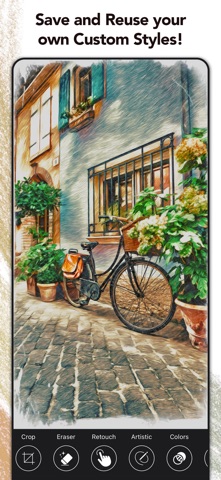
1. As a plus, Graphite Premium* gives you the ability for pixel-precise fine-tuning: Use your finger or Apple Pencil to adjust the level of detail, to remove unwanted outlines, or to make your drawings sketchier.
2. Graphite is a picture editing app that instantly transforms your photos into high-quality drawings, sketches, and illustrations—directly on your iPhone or iPad.
3. This way you can retouch facial features and create stunning technical illustrations of hand-drawn quality! Try the Adjustment Tool to create your own unique style.
4. Send your awesome images as a real postcard for only $2.69 (free shipping!) to your loved ones, or have your favorite moment produced as frameable art delivered straight to your door.
5. Finally, make your digital masterpieces special with Graphite’s integrated color filters, fine-art papers, and vignettes.