
Cancel Cloud Music Offline Downloader Subscription
Published by Loi Nguyen VanUncover the ways Loi Nguyen Van (the company) bills you and cancel your Cloud Music Offline Downloader subscription.
🚨 Guide to Canceling Cloud Music Offline Downloader 👇
Note before cancelling:
- The developer of Cloud Music Offline Downloader is Loi Nguyen Van and all inquiries go to them.
- Always cancel subscription 24 hours before it ends.
🌐 Cancel directly via Cloud Music Offline Downloader
- 🌍 Contact Cloud Music Offline Downloader Support
- Mail Cloud Music Offline Downloader requesting that they cancel your account:
- E-Mail: help@cloudbeatsapp.com
- Login to your Cloud Music Offline Downloader account.
- In the menu section, look for any of these: "Billing", "Subscription", "Payment", "Manage account", "Settings".
- Click the link, then follow the prompts to cancel your subscription.
End Cloud Music Offline Downloader subscription on iPhone/iPad:
- Goto Settings » ~Your name~ » "Subscriptions".
- Click Cloud Music Offline Downloader (subscription) » Cancel
Cancel subscription on Android:
- Goto Google PlayStore » Menu » "Subscriptions"
- Click on Cloud Music Offline Downloader
- Click "Cancel Subscription".
💳 Cancel Cloud Music Offline Downloader on Paypal:
- Goto Paypal.com .
- Click "Settings" » "Payments" » "Manage Automatic Payments" (in Automatic Payments dashboard).
- You'll see a list of merchants you've subscribed to.
- Click on "Cloud Music Offline Downloader" or "Loi Nguyen Van" to cancel.
Subscription Costs (Saved) 💰
Cloud Music Premium
- Description: No more banner and pop-up ads, unlimited downloads from clouds, full access to cloud storages.
- Price: $5.99/year
- Length of subscription: 1 year
- Payment method: charged to iTunes Account at confirmation of purchase
- Automatic renewal: Yes, unless auto-renew is turned off at least 24-hours before the end of the current period
- Manage subscription: Subscriptions may be managed by the user and auto-renewal may be turned off by going to the user's Account Settings after purchase.
- Additional information: Visit www.l7mobile.com/terms and www.l7mobile.com/privacy for more information.
Have a Problem with Cloud Music Offline Downloader? Report Issue
About Cloud Music Offline Downloader?
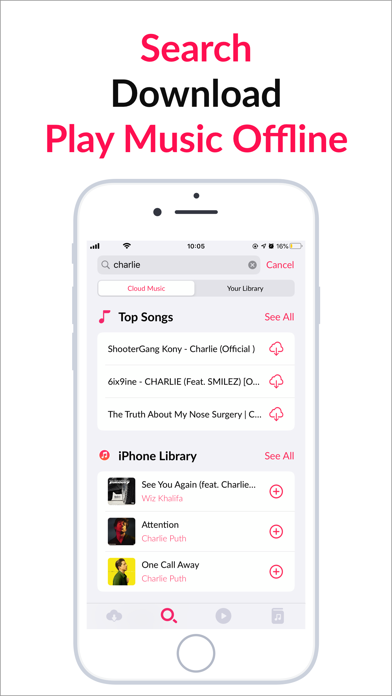
1. ● Import Music from multiple sources: Airdrop, Files, iPhone/iPad Library (Apple Music), Wi-fi transfer, your Clouds.
2. Cloud Music can play both Audio or Video Music without wi-fi or cellular data.
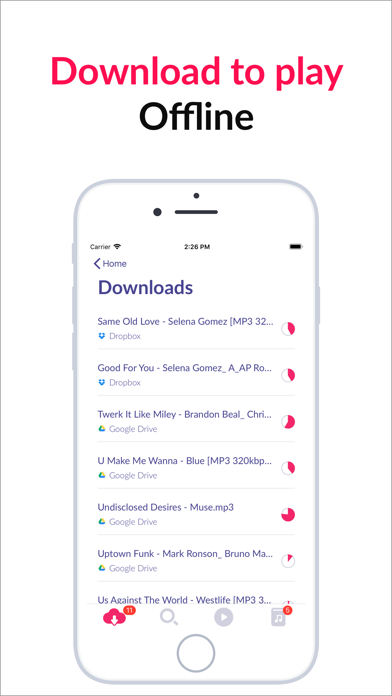
3. ● Download songs and play without internet or Wifi (offline music player).
4. ● Wi-fi transfer: import music into the app through computer's web browser.
5. Easily download music to your devices and play music offline.